
Updated: October 2026
Almost every Indian business runs on Excel or Google Sheets at some point. Orders, stock, attendance, leads, payments, dealer lists, production plans: it all starts in a spreadsheet, because spreadsheets are free, flexible and familiar.
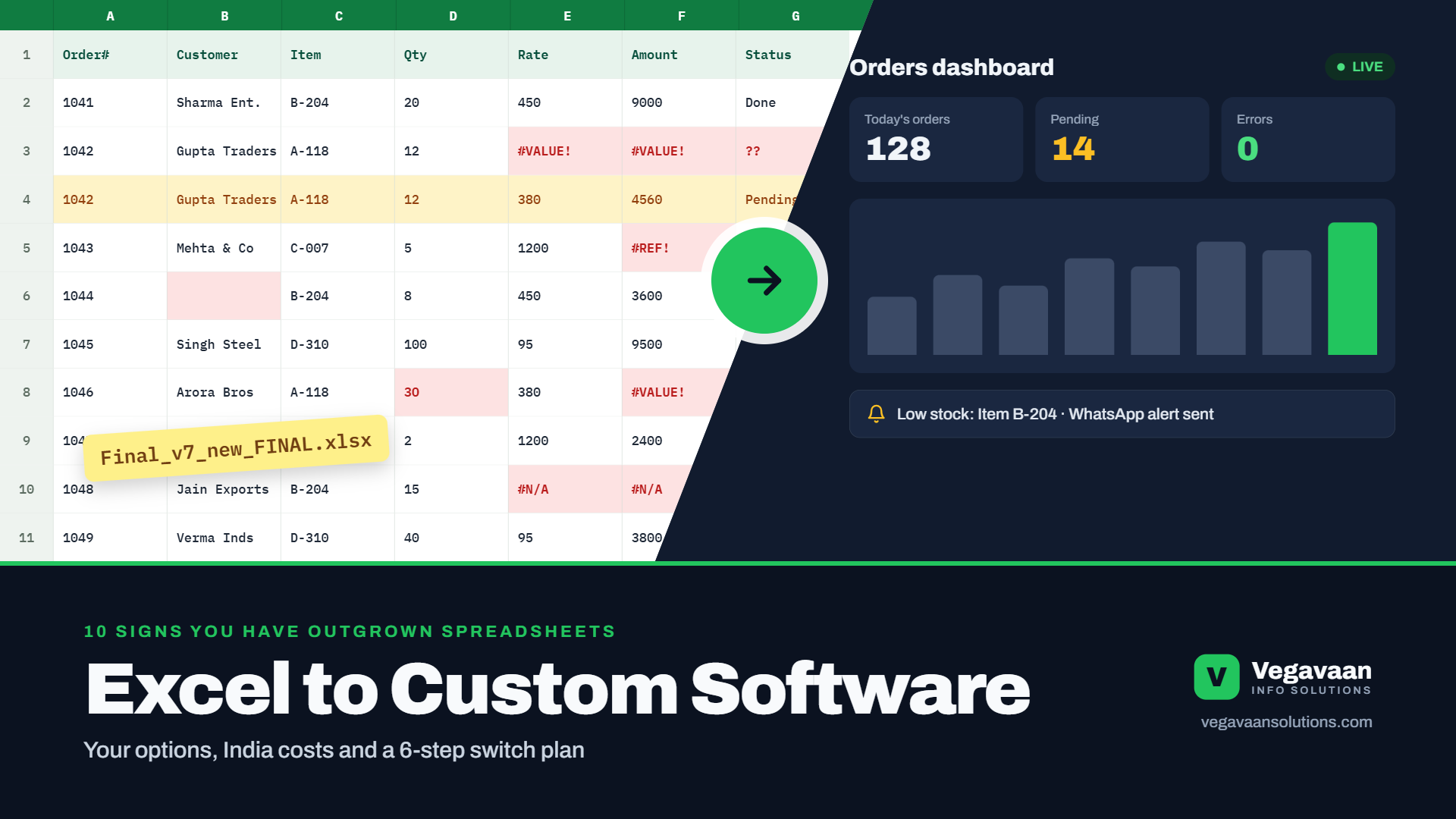
Then the business grows. Five people edit the same file. Someone sorts one column and breaks the whole sheet. "Final_v7_new_FINAL.xlsx" gets emailed around. A formula error goes unnoticed for weeks. And the one person who understands the master file goes on leave.
This guide helps you decide when it is time to move from Excel to software, what your options are (from simple tools to fully custom software), what it costs in India, and how to switch without disrupting your business.
Contents
- Quick answer
- 10 signs your business has outgrown Excel
- The hidden cost of staying on spreadsheets
- Your 4 options after Excel
- What custom software costs in India
- What businesses typically move off Excel first
- How to move from Excel to software in 6 steps
- Mistakes to avoid
- Frequently asked questions
Quick answer
It is time to replace Excel when several people edit the same files, errors and duplicate data keep appearing, you cannot see live numbers without manual work, data security matters, or the process depends on one person. Start with ready-made software if a standard tool fits your process; choose custom software when your workflow is unique or needs to connect several systems. In India, a custom web application typically costs about ₹2.5 lakh to ₹15 lakh or more, depending on features.
10 signs your business has outgrown Excel
- Many people edit the same file, and changes get overwritten or lost.
- There are multiple versions of the "master" sheet on email and WhatsApp.
- Errors keep slipping through: wrong formulas, deleted rows, duplicate entries.
- Reports take hours of copying and pasting every week or month.
- You cannot see live numbers, such as today's stock, pending orders or overdue payments, without asking someone.
- The file is slow or crashes because it has grown too large.
- Only one person understands it, and the business stops when they are away.
- Anyone can see everything, including salaries, margins or customer data.
- Customers, dealers or field staff need access from their phones.
- You re-type the same data into other systems such as Tally, WhatsApp or email.
If three or more of these sound familiar, you are paying a hidden "spreadsheet tax" every day.
The hidden cost of staying on spreadsheets
- Staff time: hours spent on copying, checking and formatting instead of selling or serving customers.
- Costly mistakes: wrong stock counts, missed follow-ups, duplicate payments or wrong quotes.
- Slow decisions: by the time the report is ready, the numbers are old.
- Security and compliance risk: spreadsheets with customer data are easy to copy, email or lose. Under India's DPDP Act, with core obligations from 13 May 2027, personal data needs proper security and access control. Read our DPDP compliance checklist.
- Growth limits: you cannot easily give dealers, customers or field teams safe, controlled access.
Your 4 options after Excel
| Option | Good for | Watch out for |
|---|---|---|
| 1. Better spreadsheets (shared sheets with locked cells, forms, validation) | Very small teams and simple processes | Still fragile as you grow; limited security and reporting |
| 2. Low-code / no-code tools | Simple internal apps built quickly | Per-user subscriptions add up; limits on complex logic and integrations |
| 3. Ready-made software (CRM, inventory, HR, accounting) | Standard processes that match the software | You change your process to fit the tool; per-user fees; extra cost for custom needs |
| 4. Custom software (web app, mobile app or portal) | Unique workflows, several connected processes, dealer or customer portals | Higher upfront cost; needs a reliable development partner and maintenance |
A simple rule: if a ready-made tool fits 80% or more of your process, start there. If your way of working is what makes your business different, or you need several systems to work together, custom software usually pays off.
What custom software costs in India
Indicative ranges, before GST, based on published Indian pricing guides:
| What you build | Indicative cost | Typical timeline |
|---|---|---|
| Web application or portal (for example orders, stock, dealers) | ₹2.5 lakh – ₹15 lakh+ | 2–6 months |
| Mobile app MVP (for field staff or customers) | ₹3 lakh – ₹18 lakh | 8–14 weeks |
| Single-task AI agent (for example reading invoices into the system) | ₹1 lakh – ₹3 lakh | 3–5 weeks |
Plan for yearly maintenance and hosting as well. For detailed breakdowns, read our guides to app development cost, website and web app cost and AI agent cost.
What businesses typically move off Excel first
| Spreadsheet today | Software tomorrow |
|---|---|
| Order sheet shared on WhatsApp | Order management portal with live status and automatic WhatsApp updates |
| Stock register | Inventory system with low-stock alerts and barcode scanning |
| Lead list | Simple CRM with follow-up reminders and sales dashboard |
| Dealer and distributor list with rates | Dealer portal where partners place orders and see their own pricing |
| Attendance and field visit sheet | Mobile app with check-in, location and photos |
| Invoice data entry | Document AI that reads invoices and fills the system automatically |
| Monthly MIS report | Live dashboard that updates itself |
How to move from Excel to software in 6 steps
- Pick one process first. Choose the spreadsheet that causes the most pain or mistakes, not all of them at once.
- Map how it really works. Who enters data, who approves, who needs reports, and what happens when something goes wrong.
- Clean your data. Remove duplicates, fix formats and decide which columns really matter.
- Choose the right option from the four above, and get a clear written scope and quote.
- Run both in parallel for 2–4 weeks so the team can compare and trust the new system.
- Switch fully, then improve. Keep the ability to export to Excel for reports, then add the next process.
Mistakes to avoid
- Trying to replace every spreadsheet in one big project
- Copying a messy spreadsheet layout into software instead of improving the process
- Not involving the people who use the sheet every day
- Choosing a tool only on price, then paying for workarounds
- Losing the ability to export your own data
- Forgetting access control, backups and security
How Vegavaan can help
Vegavaan Info Solutions helps businesses replace fragile spreadsheets with simple, secure software: custom web apps and portals, mobile apps for field teams, live dashboards, Document AI for data entry and workflow automation. We start with one process, show results quickly and grow from there.
Based in Faridabad? See our guide to choosing a software development company in Faridabad.
👉 Send us your messiest spreadsheet and we will suggest how it could work as software, free.
Frequently asked questions
When should a business stop using Excel?
When several people edit the same files, errors and duplicates keep appearing, reports take hours, data security matters, customers or staff need mobile access, or the process depends on one person who understands the sheet.
What can replace Excel for a small business?
Options include better-structured shared spreadsheets, low-code tools, ready-made software such as CRM or inventory systems, and custom web or mobile apps built for your exact process.
How much does custom software cost in India?
A custom web application or portal typically costs about ₹2.5 lakh to ₹15 lakh or more, and a mobile app MVP about ₹3 lakh to ₹18 lakh, depending on features and integrations, plus yearly maintenance and hosting.
Can I import my existing Excel data into new software?
Yes. Most projects include importing existing data after cleaning it. Good software also lets you export data back to Excel for reports.
Is custom software better than ready-made software?
Not always. Ready-made software is faster and cheaper when it fits your process. Custom software is better when your workflow is unique, you need several systems to connect, or per-user subscription costs grow too high.
Conclusion
Excel is a great starting point but a poor foundation for a growing business. If your team spends more time managing spreadsheets than using the information in them, it is time to move. Start with one painful process, choose the right option and grow step by step.
Ready to leave "Final_v7_new_FINAL.xlsx" behind? Talk to Vegavaan.