
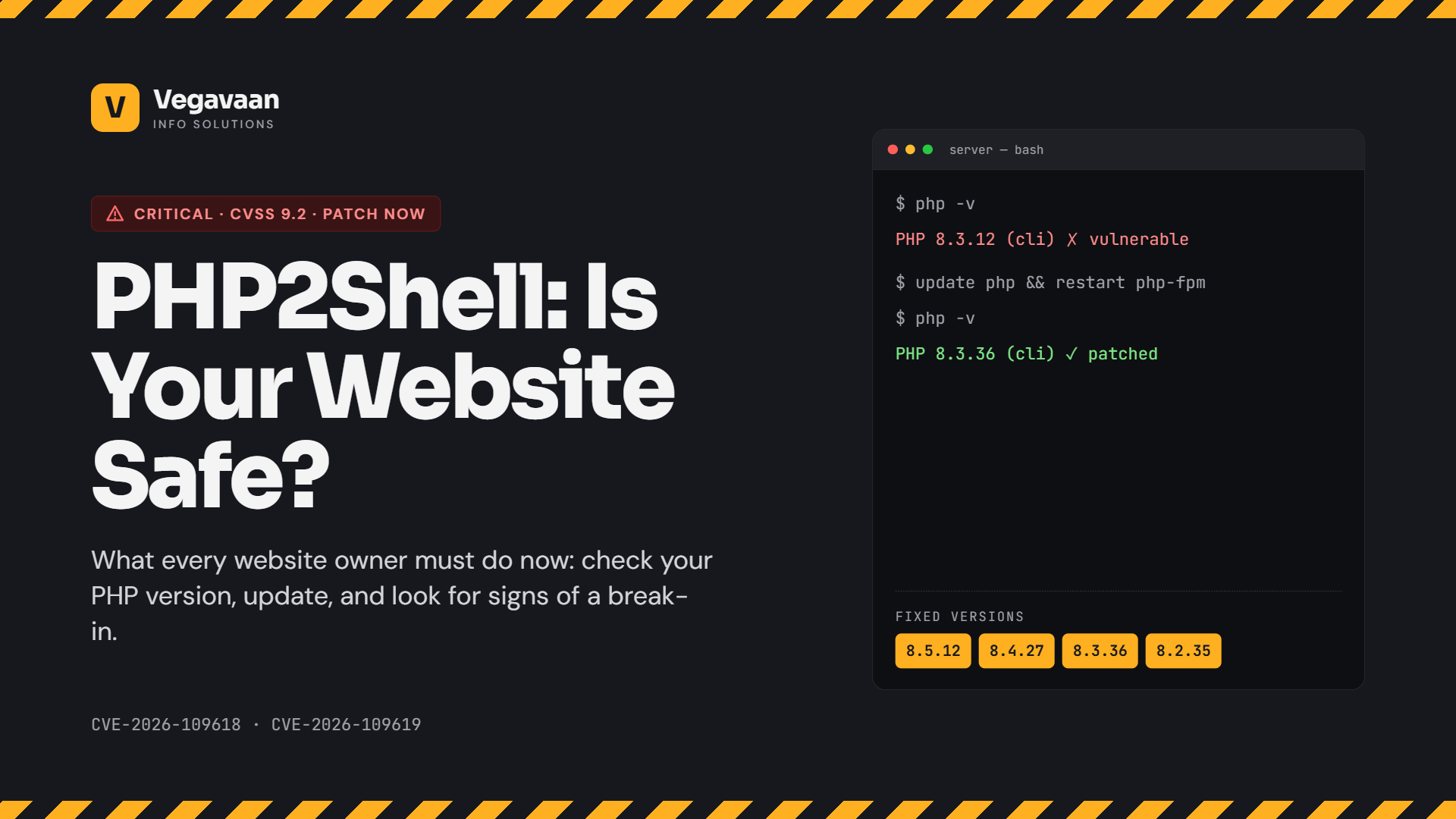
On 21 October 2026, the PHP project released emergency security updates for two critical flaws now known as PHP2Shell (CVE-2026-109618 and CVE-2026-109619). Both allow an attacker to run their own code on a web server without logging in, and both are rated CVSS 9.2.
PHP powers a huge share of the web, including WordPress, WooCommerce, Joomla, Drupal, Laravel and many custom business websites in India. Government agencies including the US CISA and the UK's NCSC told organisations to update immediately or take affected systems offline. Some well-known sites briefly took parts of their websites down as a precaution, and attack attempts were seen within hours of the fix.
If your business has a website, this guide explains in plain language what PHP2Shell is, how to check whether your site is affected, exactly what to do today, what to ask your hosting provider, and how to check for signs of a break-in.
Contents
- Quick answer: what to do today
- What is PHP2Shell?
- Is my website affected?
- How to check your PHP version
- How to fix it: step by step
- Message to send your hosting provider
- If you cannot update immediately
- Signs your site may already be compromised
- Reporting obligations in India
- The bigger lesson: AI is speeding up hacking
- Frequently asked questions
Quick answer: what to do today
Update PHP on every server that runs your website to a fixed version: PHP 8.5.12, 8.4.27, 8.3.36 or 8.2.35 (or newer). If you are on PHP 8.1 or older, upgrade to a supported version or get a patched build from your hosting or Linux vendor. If you use shared hosting, ask your host to confirm they have patched. Then take a fresh backup and check your site for signs of compromise.
What is PHP2Shell?
PHP2Shell is the name for two vulnerabilities in the core of PHP, discovered by security researchers from Calif, OpenAI and Wiz:
| CVE | What it allows | Severity |
|---|---|---|
| CVE-2026-109618 | Remote code execution as the web server's user, triggered through memory corruption when a request ends abnormally. The PHP team rates the risk highest for Apache with mod_php, where an unauthenticated request can trigger the attack before any of your application's code runs. | Critical (CVSS 9.2) |
| CVE-2026-109619 | A "stale state" flaw that allows memory disclosure and remote code execution with the web server's privileges, without logging in. | Critical (CVSS 9.2) |
In simple terms: an attacker could send specially crafted requests to your website and take control of the server it runs on, potentially reaching your files, database and customer data.
Is my website affected?
Your website is likely affected if all of these are true:
- It runs on PHP (WordPress, WooCommerce, Joomla, Drupal, Magento, Laravel, CodeIgniter or custom PHP)
- It serves web requests through PHP-FPM, Apache mod_php, php-cgi, FrankenPHP or LiteSpeed (which covers almost all PHP websites)
- Its PHP version is older than the fixed versions listed above
The scale is large. Security firms counted millions of internet-facing PHP hosts, and one scan found that roughly 79% of PHP services it saw were on unsupported versions that no longer receive regular updates.
How to check your PHP version
- WordPress: go to Tools → Site Health → Info → Server and look for "PHP version".
- cPanel hosting: open Select PHP Version or MultiPHP Manager.
- Plesk: open Websites & Domains → PHP for your domain.
- Your own server (VPS or cloud): run
php -vand also check the version used by PHP-FPM or Apache, which can be different from the command line. - Not sure? Ask your developer or hosting provider, using the message below.
How to fix it: step by step
- Take a full backup of files and database before changing anything.
- Update PHP to 8.5.12, 8.4.27, 8.3.36, 8.2.35 or newer, using your hosting panel, your Linux distribution's packages or your vendor's patched builds.
- On PHP 8.1, 8.0 or 7.x? These versions no longer receive regular updates from the PHP project. Only minimal patches were released for 7.4, 8.0 and 8.1. The safest move is to upgrade to a supported version (and test your site), or use a patched build from your hosting, Linux or long-term-support vendor.
- Restart PHP-FPM, Apache or LiteSpeed so the new version is actually in use.
- Confirm the running version again in your panel or Site Health.
- Update everything else too: WordPress core, plugins, themes and frameworks.
- Turn on a web application firewall (WAF) if you have one. Some providers, such as Cloudflare, added temporary rules against known attack methods. These help, but they do not replace patching.
- Check for signs of compromise (see below), especially if your site was unpatched after 21 October.
Message to send your hosting provider
Hello, regarding the critical PHP2Shell vulnerabilities (CVE-2026-109618 and CVE-2026-109619) patched on 21 October 2026: please confirm (1) which PHP version my account [domain] is running, (2) whether it has been updated to a fixed version (8.5.12, 8.4.27, 8.3.36, 8.2.35 or a vendor-patched build), and (3) whether you have checked my server for signs of compromise. Thank you.
If you cannot update immediately
The PHP team and security vendors published temporary mitigations. They reduce risk but do not fully prevent exploitation, and most need server-level access, so ask your developer or host:
- For CVE-2026-109619: set
session.upload_progress.enabled=0and restart all PHP workers (on PHP 8.5, also setfatal_error_backtraces=0). - For CVE-2026-109618: apply the memory and request-size settings recommended in the official advisory, ideally enforced at server level so applications cannot override them.
- Hiding errors (for example with
display_errors) does not protect you. - If none of this is possible, authorities advise taking the affected system offline until it can be patched.
Signs your site may already be compromised
- Unknown files in your website folders, especially new
.phpfiles in upload directories - New admin users you did not create
- Unexpected redirects, spam pages or pop-ups
- Server load or bandwidth spikes with no obvious reason
- PHP processes starting command shells or downloading files (the US FBI specifically recommended monitoring for this)
- Warnings from Google Search Console or your hosting provider
If you see any of these: change all admin, database, hosting and API passwords and keys, restore from a clean backup taken before 21 October if needed, and get a professional security check.
Reporting obligations in India
- CERT-In: under CERT-In's 2022 directions, many types of cyber security incidents must be reported to CERT-In within 6 hours of noticing them.
- DPDP Act: if personal data is breached, the DPDP Rules require informing affected people and the Data Protection Board, with core obligations applying from 13 May 2027. Read our DPDP compliance checklist for websites and apps.
The bigger lesson: AI is speeding up hacking
PHP2Shell was found with the help of AI tools, and security experts expect more disclosures like it. One vulnerability research firm says AI helped double the number of flaws discovered compared with last year, and exploits that once took weeks can now appear within hours. Amazon's threat intelligence team even saw an exploit attempt four days before the public disclosure.
For businesses, that means three habits now matter more than ever:
- Know what you run: keep a list of your websites, servers, PHP versions, plugins and frameworks.
- Patch fast: have someone responsible for applying critical updates within a day, not a month.
- Stay on supported versions: old, unsupported software turns every new bug into a permanent risk.
Read more in our guide: Cybersecurity in 2026: How Indian Businesses Can Stay Safe from AI-Powered Attacks.
How Vegavaan can help
Not sure whether your website is safe? Vegavaan Info Solutions can:
- Check your website's PHP version, plugins and server configuration
- Safely upgrade PHP and test your site so nothing breaks
- Scan for signs of compromise and clean up if needed
- Set up firewalls, backups and ongoing security monitoring and VAPT
- Offer annual maintenance (AMC) so critical updates are applied quickly
👉 Request a free PHP2Shell website check or call +91 7300862597.
Frequently asked questions
What is PHP2Shell?
PHP2Shell is the name for two critical PHP vulnerabilities, CVE-2026-109618 and CVE-2026-109619, patched on 21 October 2026. They allow unauthenticated remote code execution on servers running vulnerable PHP versions.
Which PHP versions fix PHP2Shell?
PHP 8.5.12, 8.4.27, 8.3.36 and 8.2.35 contain the fixes. PHP 7.4, 8.0 and 8.1 received only minimal patches, so users of those versions should upgrade or get a patched build from their vendor.
Is my WordPress website affected by PHP2Shell?
If your WordPress site runs on a PHP version older than the fixed releases, it is likely affected, because the flaws are in PHP itself, not in WordPress. Check your PHP version under Tools → Site Health → Info → Server, and ask your host to update it.
I use shared hosting. What should I do?
On shared hosting, your provider controls the PHP installation. Ask them to confirm your PHP version and that it has been patched, using the message template in this guide, and update WordPress, plugins and themes yourself.
Is a firewall enough to protect against PHP2Shell?
No. Web application firewall rules can block known attack patterns and buy time, but the only real fix is updating PHP to a patched version.
Do I need to report it if my site was hacked?
In India, many cyber security incidents must be reported to CERT-In within 6 hours, and personal data breaches have additional obligations under the DPDP framework. Consult your legal advisor about your specific situation.
Conclusion
PHP2Shell is serious, but the fix is clear: update PHP, confirm the update is live, update your plugins and check for signs of compromise. Do it today, not next week, because attackers are moving in hours.
Need help? Talk to Vegavaan's security team.
Sources: BleepingComputer, The Hacker News, Wiz and Reuters via The Star. Always follow the official PHP security advisory for the latest technical guidance.