
Updated: October 2026
You call three developers and ask, "How much will an app like this cost?" One says ₹2 lakh, one says ₹8 lakh and one says ₹20 lakh. Who is right?
Probably all of them, because each one imagined a different app. The biggest reason software projects go over budget, get delayed or end in disputes is not bad coding. It is unclear requirements.
This guide shows Indian business owners how to write software requirements before hiring a developer, in plain language and without technical knowledge. It includes a free copy-paste requirement template, a filled example, the questions to ask developers and the red flags to watch for.
Contents
- Quick answer
- Why written requirements save money
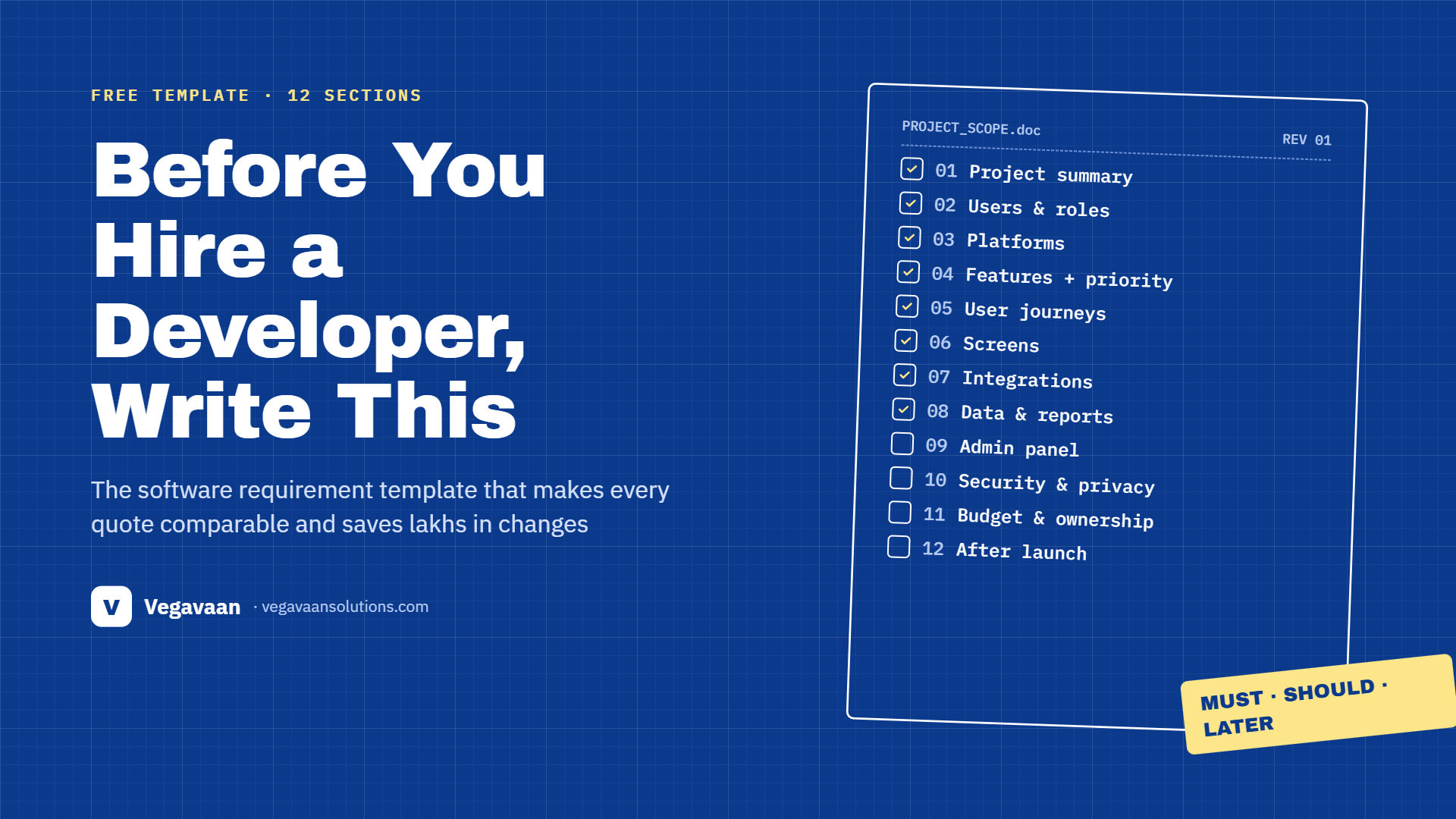
- Free software requirement template (12 sections)
- Filled example: dealer ordering app
- How to prioritise features (MoSCoW)
- 15 questions to ask before hiring a developer
- Red flags in quotes and proposals
- Fixed price or time-and-material?
- Frequently asked questions
Quick answer
Before hiring a developer, write a simple requirement document covering: your business goal, who will use the software, the must-have features, how each user will move through the app, screens, integrations (payments, WhatsApp, Tally, SMS), data and reports, the admin panel, security and language needs, budget and timeline, ownership of code and accounts, and support after launch. Mark each feature as must-have, should-have or later. Send the same document to every developer so quotes are comparable.
Why written requirements save money
- Comparable quotes: every developer prices the same scope.
- Fewer surprises: "I thought this was included" disputes drop sharply.
- Faster delivery: developers spend less time guessing.
- Smaller first version: you launch the must-haves first and add the rest later.
- Protection: a written scope attached to the agreement protects both sides.
Free software requirement template (12 sections)
Copy these headings into a Word or Google document and fill in each one. Short bullet points are fine.
1. Project summary
- Project name:
- In one sentence, what will this software do?
- What problem does it solve today? (for example, "orders come on WhatsApp and get missed")
- How will we measure success? (for example, "zero missed orders", "billing in 2 minutes instead of 15")
2. Users and roles
- Who will use it? (customers, staff, managers, dealers, delivery team, admin)
- What can each role see and do?
- Roughly how many users of each type, now and in 2 years?
3. Platforms
- Web app, Android app, iPhone app, or all?
- Will users mostly use phones or computers?
- Does it need to work with weak or no internet?
4. Features (with priority)
- List every feature as a simple sentence: "A dealer can place an order from the product list."
- Mark each as Must, Should or Later (see MoSCoW below).
5. User journeys
- Describe the 3–5 most important journeys step by step, for example: "Customer opens app → logs in with OTP → searches product → adds to cart → pays by UPI → gets WhatsApp confirmation."
6. Screens
- List the screens you expect (login, home, product list, cart, order history, profile, admin dashboard).
- Attach sketches, screenshots of apps you like, or your current Excel sheets and forms.
7. Integrations
- Payments (UPI, cards, payment gateway)
- WhatsApp, SMS and email notifications
- Accounting or ERP (for example Tally), GST invoicing
- Maps, delivery partners, existing website, CRM
- AI features (chatbot, document reading, recommendations)
8. Data and reports
- What information is stored? (customers, products, orders, payments)
- Existing data to import (Excel files, old software)
- Reports and dashboards you need (daily sales, pending payments, stock)
- Export to Excel or PDF?
9. Admin panel
- What should the admin be able to manage? (users, products, prices, banners, approvals)
- Who approves what?
10. Security, privacy and quality
- Login method (OTP, password, Google), roles and permissions
- Personal data handled, consent and privacy policy (DPDP Act, core obligations from 13 May 2027)
- Languages (English, Hindi, others)
- Speed expectations, backups and uptime
11. Budget, timeline and ownership
- Budget range and target launch date
- Who owns the source code, designs and data? (it should be you)
- Domain, hosting, cloud, Play Store and App Store accounts in your company's name
12. After launch
- Bug-fix warranty period
- Annual maintenance (updates, security patches, hosting)
- Training and documentation
- Future phases you already know about
Filled example: dealer ordering app
| Section | Example |
|---|---|
| Summary | An app for our 300 dealers to place orders directly, instead of WhatsApp and phone calls. Success = no missed orders and same-day dispatch. |
| Users | Dealers (300), sales team (8), dispatch (3), admin (2) |
| Platforms | Android app for dealers and sales team; web admin panel |
| Must features | OTP login, product catalogue with dealer-specific prices, cart and order, order status, WhatsApp order confirmation, admin order approval, dispatch status |
| Should features | Outstanding balance view, scheme banners, reorder last order |
| Later | UPI payments, iPhone app, AI product suggestions |
| Integrations | WhatsApp Business API, Tally export |
| Reports | Daily orders by dealer, pending dispatch, top products, export to Excel |
| Languages | English and Hindi |
| Ownership | Source code, Play Store account and server in our company name |
| Support | 3-month warranty, then annual maintenance |
How to prioritise features (MoSCoW)
| Label | Meaning | Rule of thumb |
|---|---|---|
| Must have | The software is useless without it | Keep this list short |
| Should have | Important, but you could launch without it | Add in the first update |
| Could have | Nice to have | Only if time and budget allow |
| Won't have (now) | Not in this version | Write it down so everyone agrees |
A smaller first version (an MVP) launches faster, costs less and lets real users tell you what to build next. See our guides to app development cost in India and website and web app cost.
15 questions to ask before hiring a developer
- Have you built something similar? Can I see it or talk to that client?
- What exactly is included in this quote, and what is not?
- Who will work on my project, and who is my single point of contact?
- How will you show progress (demos, weekly updates)?
- What technology will you use, and why?
- Who owns the source code, designs and data?
- Will the domain, server and app store accounts be in my name?
- How are payments split across milestones?
- How do you handle change requests and their cost?
- How will you test the software before launch?
- What security practices do you follow?
- How do you handle personal data and DPDP requirements?
- What is the warranty period for bugs?
- What does annual maintenance cost and include?
- What happens if we stop working together? Will I get all code and access?
Choosing a partner in the NCR? Read our guide to choosing a software development company in Faridabad and how to choose an IT company for AI solutions.
Red flags in quotes and proposals
- A price given without asking any questions about your requirements
- "Everything included" with no written feature list
- Large advance payment with no milestones
- Source code, server or app store account kept in the developer's name
- No demo until the end of the project
- No mention of testing, security, backups or maintenance
- Unrealistic timelines ("a full app like Swiggy in 2 weeks")
Fixed price or time-and-material?
| Fixed price | Time and material | |
|---|---|---|
| Best when | Requirements are clear and stable | Requirements will change or are still being discovered |
| Budget | Known upfront | Flexible, billed by effort |
| Changes | Each change is a new quote | Easy to change direction |
| Risk for you | Low cost risk, but less flexibility | More flexibility, needs closer tracking |
Many businesses use a fixed price for the first version (based on a clear requirement document) and monthly or time-based work for later improvements.
How Vegavaan can help
Not sure how to fill the template? Vegavaan Info Solutions runs a requirement workshop with you, turns your ideas, Excel sheets and WhatsApp processes into a clear scope, suggests what to build first, and gives a transparent, milestone-based quote. We build mobile apps, web applications and AI solutions, with code and accounts in your name.
👉 Send us your idea and get a free requirement review.
Frequently asked questions
What is a software requirement document?
It is a written description of what the software must do, who will use it, which features are included, how it connects to other systems and what is expected for security, timeline and support. It is sometimes called an SRS, a scope document or a project brief.
Do I need technical knowledge to write requirements?
No. Write in plain language about your business, your users and what they need to do. A good developer will turn it into technical specifications.
How long should a requirement document be?
For a small business app, 3 to 10 pages is usually enough. Clear bullet points matter more than length.
Why do app development quotes vary so much?
Because each developer assumes a different scope, quality level, technology and support. Sending the same written requirements to every developer makes quotes comparable.
Who should own the source code?
You should. Make sure the agreement says the source code, designs and data belong to your company, and that domains, servers and app store accounts are registered in your name.
Conclusion
An hour spent writing clear requirements can save lakhs of rupees and months of delays. Use the 12-section template, mark your must-haves, ask the 15 questions and watch for red flags. Then choose the developer who understands your business, not just the lowest quote.
Want help turning your idea into a clear plan? Talk to Vegavaan.