
WhatsApp AI Chatbots for Business in 2026: Use Cases, Benefits and How to Get Started
Introduction
In India, WhatsApp is not just a messaging app — it is where customers already are. People use it to talk to family, coordinate work, pay bills, track orders and, increasingly, talk to businesses. With more than 500 million users in India, it is WhatsApp's largest market in the world.
That makes WhatsApp one of the most powerful customer channels a business can have. But replying to hundreds or thousands of messages by hand is slow, expensive and impossible to do 24/7.
This is where WhatsApp AI chatbots come in. Unlike old menu-based bots that only understand "press 1 for sales", modern AI chatbots understand natural language, answer questions from your own business knowledge, and can actually complete tasks — like booking an appointment, tracking an order or qualifying a lead.
In this guide, we explain what a WhatsApp AI chatbot is, the best business use cases, the benefits, what it costs to get started and how to launch one the right way.
What is a WhatsApp AI chatbot?
A WhatsApp AI chatbot is an automated assistant connected to your official WhatsApp Business number that uses artificial intelligence to understand customer messages, reply in natural language and complete tasks — 24 hours a day.
It is built on the WhatsApp Business Platform (Cloud API) from Meta, which allows businesses to automate conversations, integrate with their own systems and send approved notifications at scale.
Rule-based bot vs AI chatbot vs AI agent
| Rule-based bot | AI chatbot | AI agent | |
|---|---|---|---|
| How it works | Fixed menus and keywords | Understands free-text questions | Understands, plans and takes actions |
| Answers from | Pre-written replies | Your FAQs, documents and website | Your knowledge base plus live business systems |
| Can it complete tasks? | Only simple, scripted ones | Some, with integrations | Yes — bookings, refunds, CRM updates and more |
| Languages | Usually one | Multiple, including Hindi and Hinglish | Multiple, including Hindi and Hinglish |
Top business use cases for WhatsApp AI chatbots
- Customer support: Answer common questions instantly, share order status, handle complaints and hand over to a human agent with full context when needed.
- Lead generation and qualification: Respond to ad clicks and website enquiries in seconds, ask qualifying questions, and push hot leads straight into your CRM.
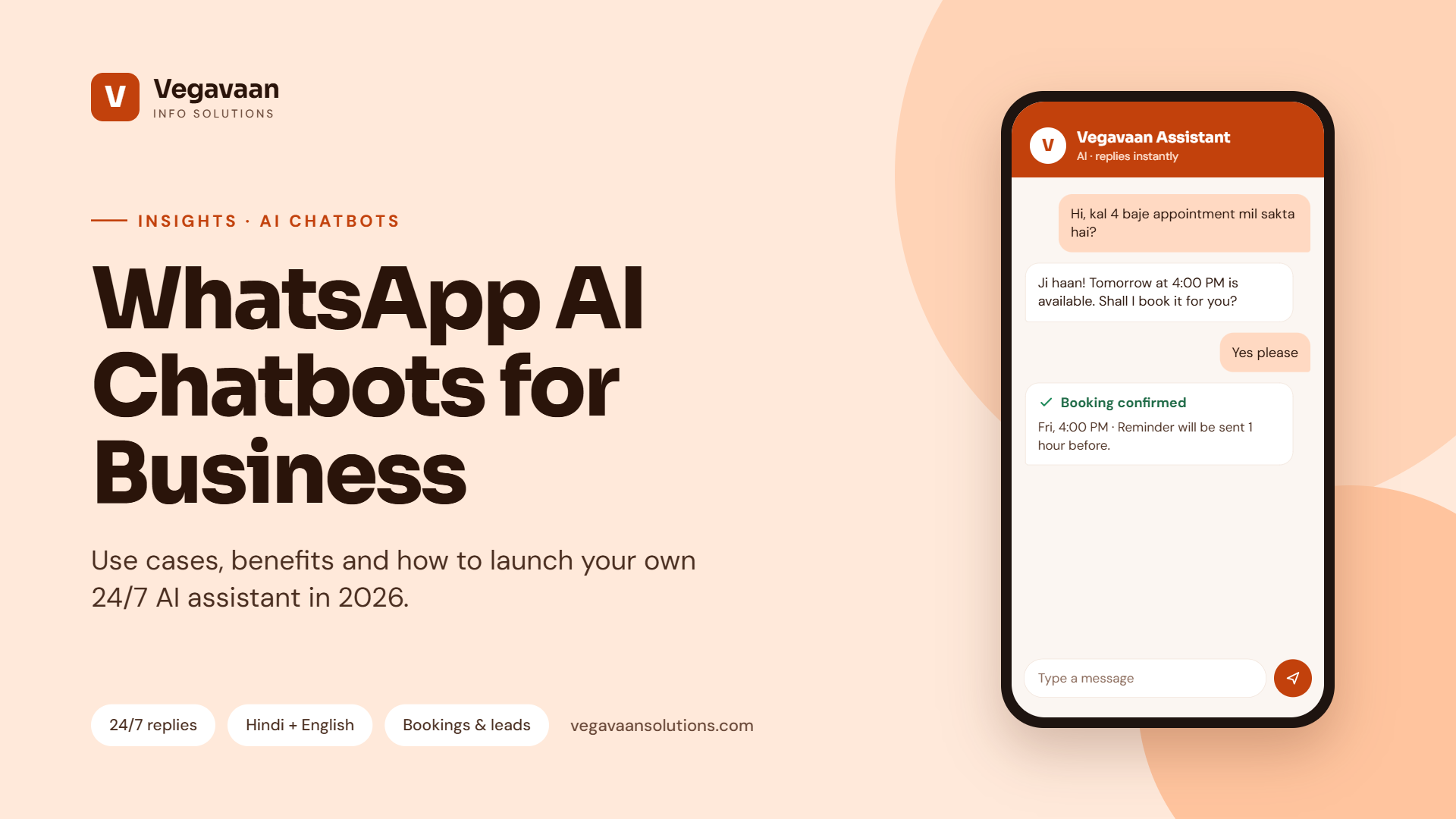
- Appointment booking: Clinics, salons, service centres and consultants can let customers book, reschedule and get reminders without a phone call.
- E-commerce and retail: Product recommendations, catalogue browsing, order tracking, returns and abandoned-cart reminders.
- Payments and collections: Send invoices, payment links and polite due-date reminders.
- Education: Admission enquiries, fee reminders, timetable updates and AI tutors that answer student doubts.
- Healthcare: Appointment scheduling, report delivery and medicine reminders, with sensitive questions routed to staff.
- Real estate: Share project details, brochures and site-visit slots, and capture buyer requirements.
- Banking and fintech: Account queries, KYC document collection and loan application status updates.
- Internal HR helpdesk: Employee questions on leave, policies, payslips and onboarding.
Key benefits for your business
- 24/7 instant replies — no customer waits until office hours.
- Lower support costs — the chatbot handles repetitive questions so your team focuses on complex cases.
- Faster lead response — reply within seconds while interest is highest.
- Multilingual support — serve customers in English, Hindi, Hinglish and regional languages.
- Higher engagement — customers already check WhatsApp many times a day.
- Scales easily — handle festival-season spikes without hiring extra staff.
- Better data — every conversation can be logged and analysed to understand what customers really want.
Must-have features in a good WhatsApp AI chatbot
- Official WhatsApp Business Platform with a verified business profile — avoid unofficial tools that risk your number being banned.
- Answers grounded in your data using RAG (retrieval-augmented generation), so replies come from your FAQs, policies and catalogue — not guesswork.
- Smooth human handover to a live agent when the bot is unsure or the customer asks.
- Integrations with your CRM, ERP, booking system, payment gateway or e-commerce store.
- Multilingual and voice-note support for how Indian customers actually communicate.
- Opt-in management and approved message templates to follow WhatsApp's policies.
- Analytics dashboard showing volumes, resolution rate, common questions and drop-off points.
- Security and privacy controls aligned with India's DPDP Act.
How much does a WhatsApp AI chatbot cost?
The total cost usually has three parts:
- Setup and development — designing conversations, connecting your knowledge base and integrating your systems. This depends on how many use cases and integrations you need.
- WhatsApp messaging charges — Meta charges for certain types of business-initiated messages (such as marketing and utility templates), while many customer-initiated service conversations are free or low cost. Check Meta's current pricing for India, as it changes from time to time.
- AI and hosting costs — usage-based charges for the AI model and cloud hosting, which grow with message volume.
The smartest approach is to start with one high-volume use case, measure the savings and results, and then expand.
How to launch your WhatsApp AI chatbot in 5 steps
- Pick your first use case. Choose the question type or process that takes most of your team's time — for example, order status or appointment booking.
- Set up the WhatsApp Business Platform. Verify your business with Meta, register your number and create message templates.
- Prepare your knowledge. Collect FAQs, policies, price lists and product information the chatbot should use.
- Build, integrate and test. Connect your systems, add guardrails and human handover, and test with real customer questions.
- Launch, monitor and improve. Track resolution rate and customer feedback, then add new use cases and languages.
Common mistakes to avoid
- Using unofficial WhatsApp tools that can get your number blocked
- Sending promotional messages without customer opt-in
- Launching without a way to reach a human
- Letting the AI answer from the open internet instead of your approved business information
- Not tracking results after launch
How Vegavaan can help
At Vegavaan Info Solutions, we build AI chatbots and voice agents for web, WhatsApp and phone that resolve customer requests — not just reply. Our team handles everything end to end:
- WhatsApp Business Platform setup and template approval
- RAG-powered answers from your own documents, catalogue and policies
- Integrations with your CRM, ERP, booking and payment systems through AI workflow automation
- Multilingual support including Hindi and Hinglish
- Human handover, analytics dashboards, security and ongoing support
👉 Book a free WhatsApp AI chatbot demo and we will show you what your customers' most common questions would look like when answered automatically.
Frequently asked questions
What is the difference between WhatsApp Business App and WhatsApp Business Platform (API)?
The WhatsApp Business App is a free app for small businesses to chat manually from a phone. The WhatsApp Business Platform (Cloud API) is designed for automation and scale — it lets you connect AI chatbots, multiple agents and your business systems to one official number.
Can a WhatsApp chatbot reply in Hindi?
Yes. Modern AI chatbots understand and reply in Hindi, English, Hinglish and many regional languages, and can switch automatically based on how the customer writes.
Is it safe to use an AI chatbot on WhatsApp?
Yes, when it is built on the official WhatsApp Business Platform, answers only from approved business information, hands sensitive cases to humans, and follows data-protection rules such as India's DPDP Act.
How long does it take to set up a WhatsApp AI chatbot?
A focused first version for one or two use cases can often go live within a few weeks, depending on Meta verification, the number of integrations and how ready your business information is.
Will a chatbot replace my customer support team?
No. It takes over repetitive questions so your team can focus on complex, high-value conversations. The best results come from AI and humans working together.
Conclusion
Your customers are already on WhatsApp. An AI chatbot lets you meet them there instantly, in their language, at any hour — while cutting costs and capturing more leads. Start with one use case, prove the value and scale from there.
Ready to put AI on your WhatsApp number? Talk to a Vegavaan AI expert today.