
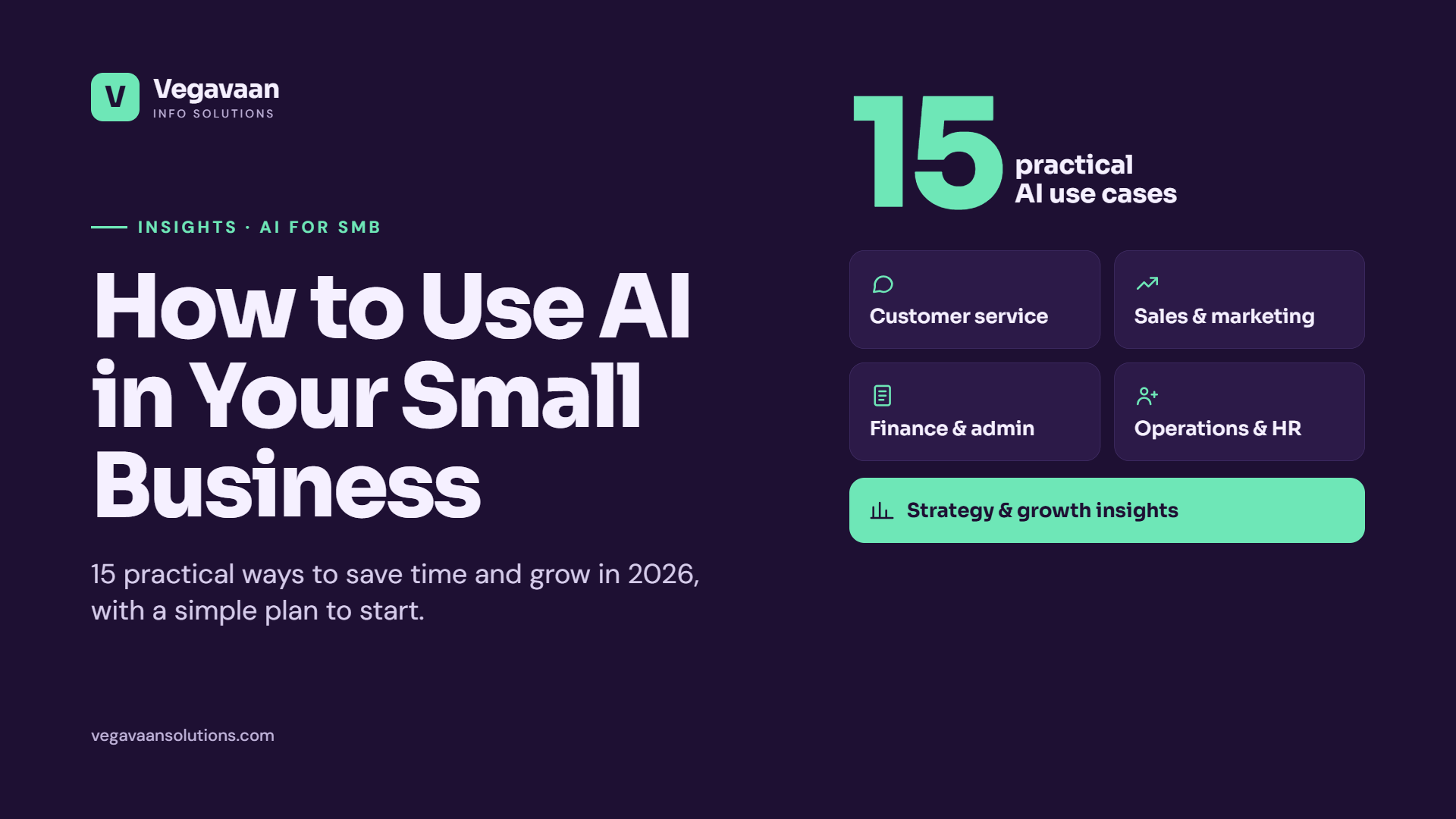
How to Use AI in Your Small Business: 15 Practical Ways to Save Time and Grow in 2026
Introduction
AI is no longer something only big tech companies can afford. In 2026, a shop owner in Faridabad, a clinic in Pune or a consultancy in Bengaluru can use the same kind of AI tools that large enterprises use, often for less than the cost of a single new hire.
But most small business owners have the same questions: Where do I start? Which tasks can AI actually handle? Will it be expensive or complicated?
This guide answers those questions with 15 practical, real-world ways to use AI in a small business, grouped by department, plus a simple plan to get started safely without wasting money.
What does "using AI in business" actually mean?
Using AI in a small business means letting software that understands language, documents and data take over repetitive tasks, such as answering customer questions, writing first drafts, reading invoices or spotting trends, so that you and your team can focus on customers and growth.
AI comes in three levels, and most businesses start at the first one:
- Ready-made AI tools: AI assistants like ChatGPT, Gemini or Claude, and AI features built into software you already use (email, accounting, design, CRM).
- Connected AI: AI linked to your own data, such as a chatbot that answers from your price list and policies.
- Custom AI solutions: AI agents and automations built around your exact workflows and systems.
15 practical ways to use AI in your small business
Customer service
- 24/7 website and WhatsApp chatbot. Answer common questions about prices, timings, order status and policies instantly, in English, Hindi or Hinglish, and pass complex cases to your team.
- Faster email and message replies. Use AI to draft polite, accurate replies to customer emails and reviews in seconds, then check and send.
- Voice agents for calls. Let an AI voice assistant handle appointment bookings, reminders and simple enquiries so missed calls do not become missed sales.
Sales and marketing
- Content creation. Generate first drafts of blog posts, social media captions, product descriptions and ad copy, then add your expertise and brand voice.
- Lead qualification. An AI assistant can reply to new enquiries, ask qualifying questions and push serious leads to your CRM or WhatsApp.
- Personalised follow-ups. Create tailored follow-up messages and offers based on what each customer bought or asked about.
- Local SEO and AI search visibility. Use AI to plan FAQs, optimise your Google Business Profile and write helpful content that Google and AI assistants can cite.
Finance and administration
- Invoice and receipt processing. Document AI reads bills, invoices and receipts and extracts amounts, dates and GST details automatically, which saves hours of manual entry.
- Payment reminders. Automate polite reminders for pending payments by WhatsApp, SMS or email.
- Meeting notes and summaries. AI tools can transcribe and summarise calls and meetings into action points.
Operations and HR
- Inventory and demand forecasting. Predict which products will sell, when to reorder and what to stock up on before festival seasons.
- Resume screening and hiring. Shortlist candidates against your job description and schedule interviews faster.
- Internal knowledge assistant. Give staff a private AI assistant that answers questions from your SOPs, policies and manuals.
Strategy and growth
- Business insights from your data. Ask questions like "Which products had the best margin last quarter?" and get clear answers and charts from your sales data.
- Market and competitor research. Use AI to summarise competitor offerings, customer reviews and industry trends in minutes.
Which AI use case should you start with?
| Your biggest pain point | Best first AI project | Effort to start |
|---|---|---|
| Too many repeated customer questions | Website or WhatsApp AI chatbot | Low to medium |
| No time for marketing content | AI-assisted content creation | Low |
| Hours spent on data entry | Invoice and document AI | Medium |
| Leads going cold | AI lead qualification and follow-ups | Medium |
| Stock-outs or overstock | Demand forecasting | Medium to high |
Benefits of AI for small businesses
- Save time on repetitive daily tasks
- Serve customers 24/7 without extra staff
- Respond faster to leads and enquiries
- Reduce errors in data entry and calculations
- Make better decisions using your own business data
- Compete with bigger companies on service quality and speed
Risks to watch out for
- Wrong answers: AI can sound confident and still be wrong. Always review important outputs, and connect customer-facing bots to your approved business information.
- Data privacy: Do not paste sensitive customer or financial data into public AI tools. Use business-grade tools and follow India's DPDP Act.
- Generic content: Purely AI-written content without your real expertise rarely performs well on Google or with customers.
- Hidden costs: Usage-based AI tools can grow expensive at scale, so track monthly costs.
- Over-automation: Keep a human in the loop for complaints, refunds and sensitive conversations.
A simple 5-step plan to start using AI
- List your repetitive tasks. Ask your team what they do every day that feels like copy-paste work.
- Pick one task with clear value. Choose something frequent, time-consuming and easy to measure.
- Try ready-made tools first. Test an AI assistant or the AI features in software you already pay for.
- Connect AI to your data when ready-made tools are not enough, such as a chatbot trained on your FAQs or document AI linked to your accounting.
- Measure and expand. Track time saved, response speed and sales impact, then add the next use case.
How Vegavaan can help
At Vegavaan Info Solutions, we help small and growing businesses put AI to work in practical, affordable steps. With 6+ years of experience, 50+ projects delivered and 30+ clients served, we can help you:
- Find your highest-value AI use cases with AI strategy and readiness consulting
- Launch AI chatbots and voice agents on your website, WhatsApp and phone
- Automate paperwork with Document AI and intelligent OCR
- Connect your tools with AI workflow automation
- Turn your data into decisions with predictive analytics
👉 Book a free AI discovery session. We will map the best AI opportunities for your business and share a practical plan and estimate.
Frequently asked questions
How can a small business use AI?
Small businesses use AI for customer support chatbots, drafting emails and marketing content, reading invoices, following up with leads, summarising meetings, forecasting stock and analysing sales data. The best approach is to start with one repetitive task that takes a lot of time.
Is AI expensive for small businesses?
Not necessarily. Many AI tools have free or low-cost plans, and AI features are increasingly built into software you may already use. Custom AI solutions cost more but can be started as a small proof of concept to prove value first.
Do I need technical skills to use AI in my business?
No technical skills are needed for ready-made AI tools. For AI connected to your own data or systems, such as a WhatsApp chatbot linked to your inventory, it helps to work with a development partner.
What is the easiest AI tool to start with?
An AI assistant such as ChatGPT, Gemini or Claude is the easiest starting point for writing, research and planning. For customer-facing use, a website or WhatsApp chatbot trained on your FAQs is usually the most impactful first project.
Will AI replace my employees?
For most small businesses, AI takes over repetitive tasks rather than whole jobs. It frees your team to spend more time on customers, sales and the work that needs human judgement.
Conclusion
You do not need a big budget or a tech team to benefit from AI. Start with one repetitive task, choose the right tool, keep a human in the loop and measure the results. Small, steady steps with AI can add up to big gains in time, service and growth.
Ready to find out where AI can help your business most? Talk to a Vegavaan AI expert today.